
Start with the community dashboard.
The dashboard brings together four views. Mindshare shows the available leaderboard snapshot. The official feed displays dated StonkBuilder posts. Saved posts stay in your browser. Campaigns show a brief and its current status.

Explore the real dashboard interface. Any sample data is clearly labeled; the live site displays its current snapshot and campaign gate.
Explore Mindshare, feed, and campaign statusGive your community a clear home.
Set up a creator account, choose a public handle, and use Creator Studio to shape a mini website. Add a headline, bio, theme, updates, events, questions, and useful links. Preview the page before publishing. You can update or unpublish it from the studio.
Join when the community makes sense to you.
Browse public community pages first. Read the creator's description and updates, then create a member account for the community you choose. Members can ask questions, submit contributions, and review their participation from the member portal.
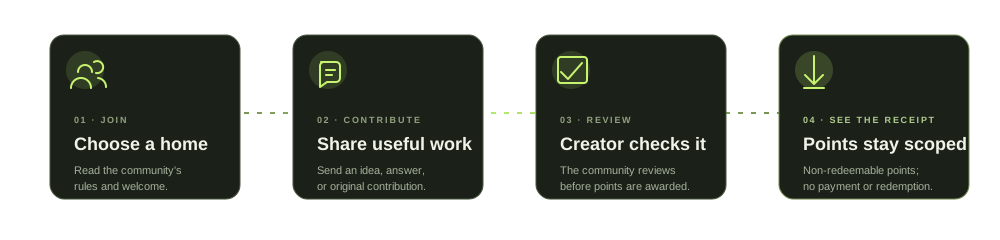
Creators review submissions. A submission is not an automatic award; use the feedback and status shown in the portal if a contribution is pending or declined.
Browse creator communitiesRead the rules before reading the score.
Community points are scoped to the community that reviewed a contribution. They are non-redeemable. Payments and redemptions are disabled, and X-action rewards are blocked by the current policy gate. Official posts are dated snapshots; open the original post to verify its context.